Hackathon
Won 2nd place in company-wide hackathon where I led a team of four over a three-week period, focused on uncovering meaningful customer pain points and identifying opportunities to improve the user experience. I guided the team through problem discovery, research, and ideation, bringing together cross-functional perspectives to uncover three distinct customer problems and explore potential solutions to address them.
Project #1
Overview
The problem
Parents have difficulty creating
custom pages.
Help parents easily create and complete custom pages through a simple, intuitive, and enjoyable design experience.
The goal
“I’m a terrible parent!”
“How do I do the custom pages?”
“Where are the custom pages?”
Parent quotes
User pain points
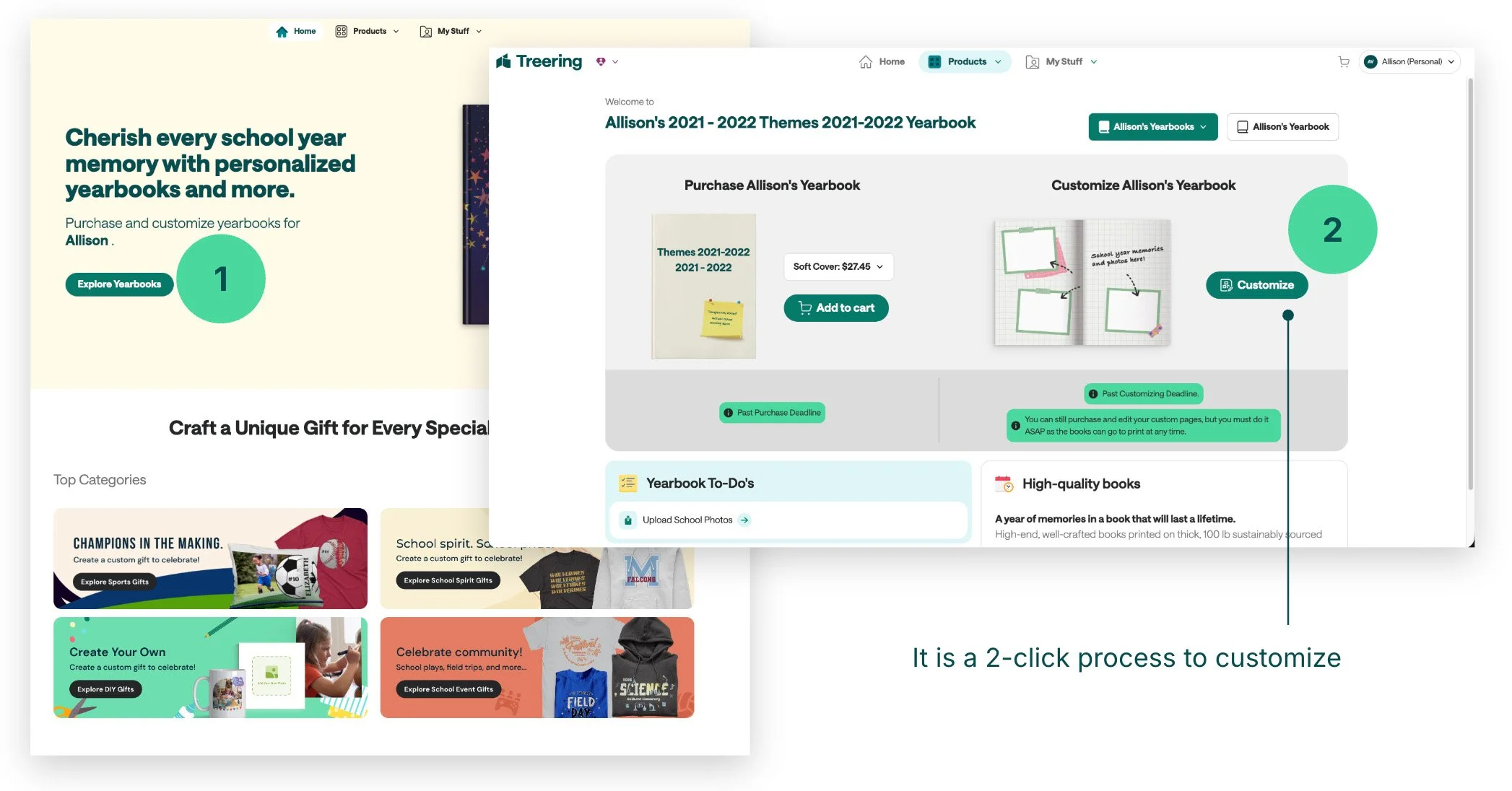
Parents don't know where to begin creating custom pages.
Navigation
Interaction
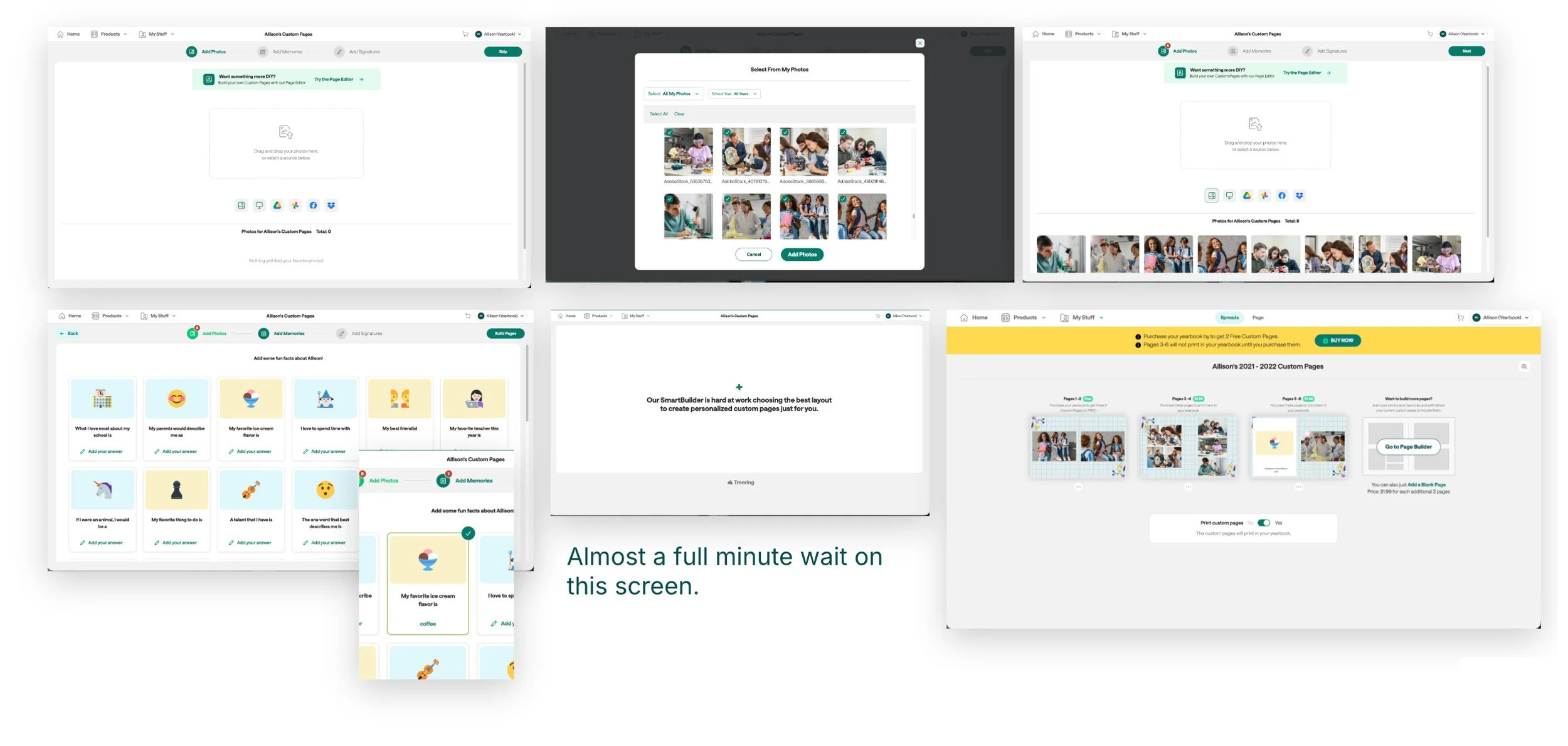
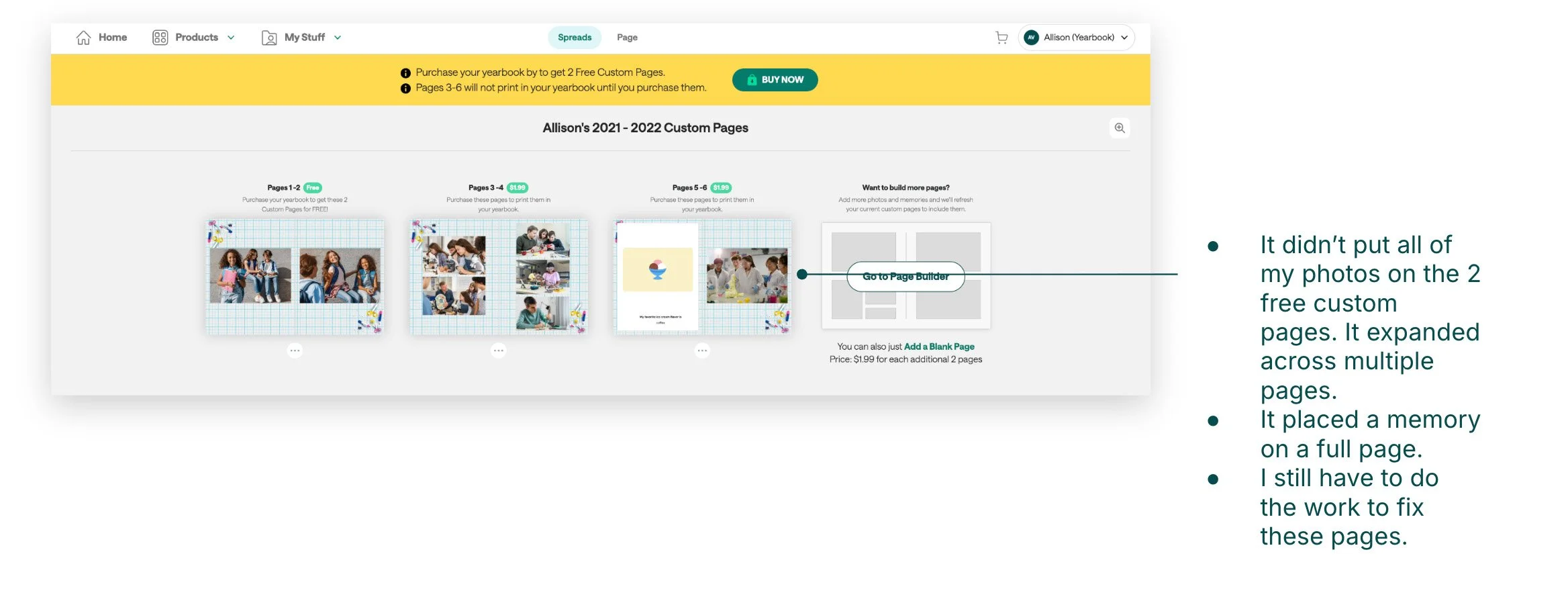
Parents have difficulty completing the Auto Builder workflow due to unclear next actions.
Experience
Parents feel stressed trying to create pages before the deadline.
Custom pages today
The solution:
Yearbook Coach
Yearbook Coach is an in-app guide that walks parents through each step, explains what to do next, and helps them confidently finish their pages without getting stuck.
Ultimately, Yearbook Coach reduces confusion, lowers support requests, and gives parents confidence they can finish their pages.
Project #2
Overview
The problem
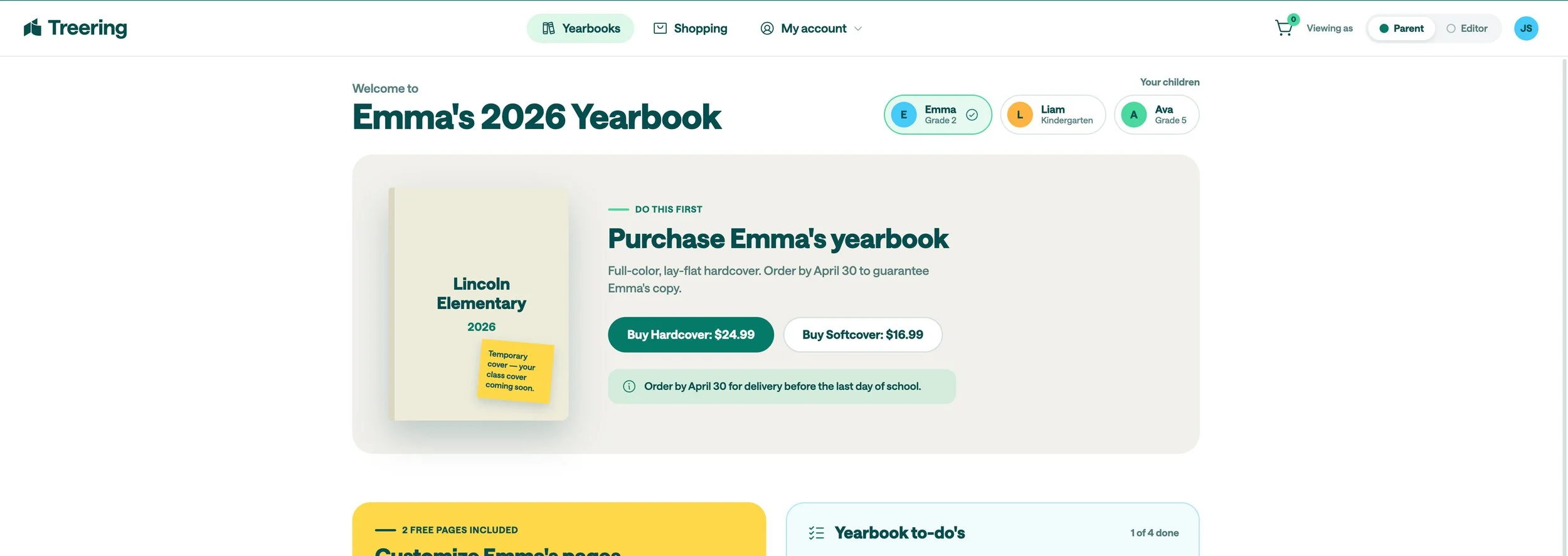
Parents have difficulty buying a yearbook.
The goal
Enable parents to easily find and purchase their yearbook in a seamless experience.
“How do I buy a yearbook?”
Many of the support calls our team handles are helping parents buy their yearbook.
Parent quote
User pain points
New and existing customers struggle to navigate Treering independently, resulting in repeated support requests, frustration, and slower yearbook creation.
Navigation
Interaction
Navigation labels are unclear ("Explore Yearbook" doesn't obviously mean "Buy a Yearbook").
Experience
Inquiries often focus on tracking current orders and seeking clarification on print-ready timeframes.
Homepage parent view today
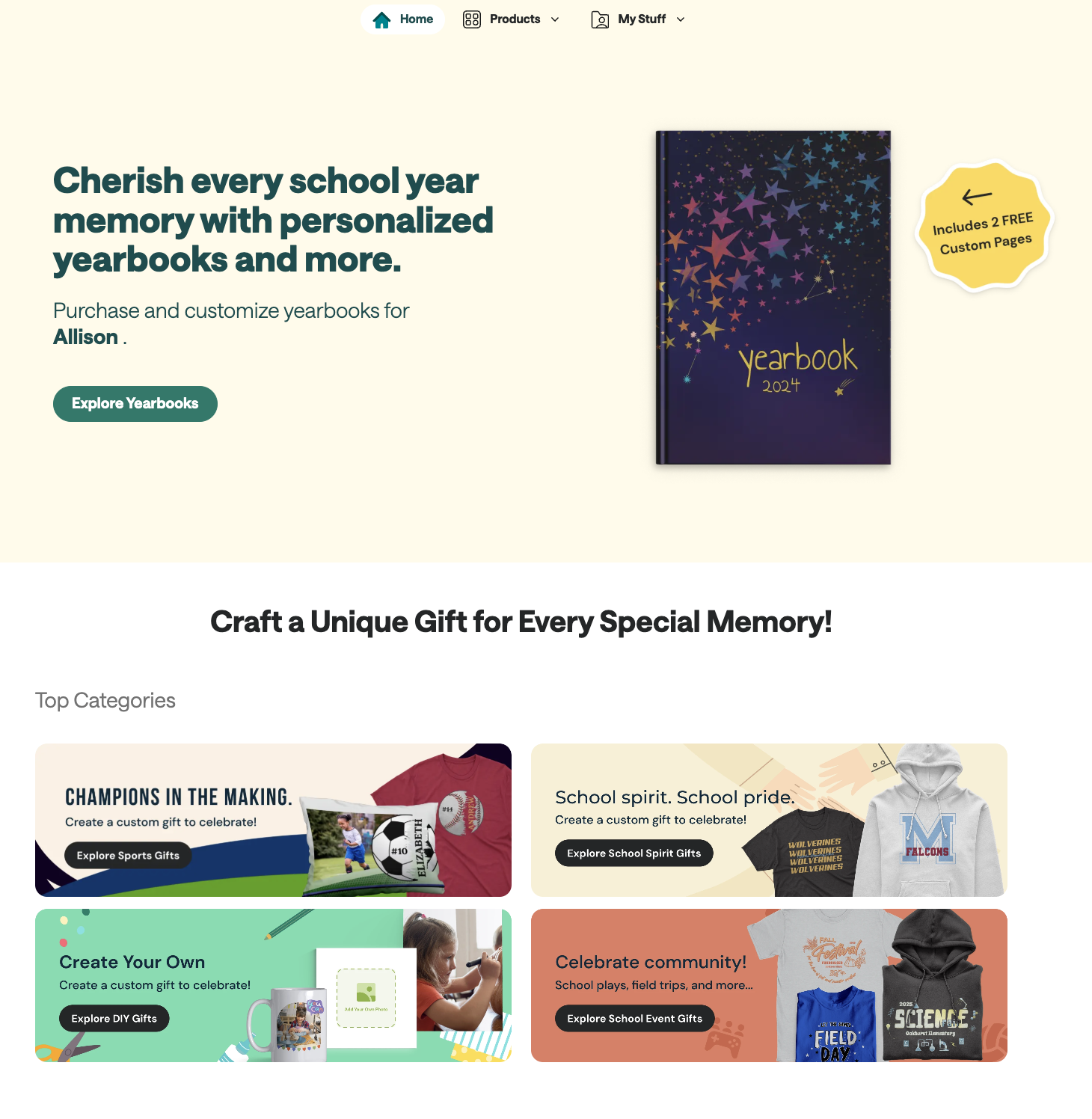
“Explore Yearbooks” button language is vague, and is costing an extra click to purchase.
The solution:
Land right into a page with the option to purchase
Project #3
Overview
Users struggle to find existing assets.*
*This statement is directly taken from the NPS scores.
The problem
The goal
Help users easily discover relevant assets during the design process.
User pain points
Navigation
Important asset libraries are buried behind multiple menus or clicks.
Interaction
Search results aren't relevant or don't match the user's expectations.
Experience
Users feel frustrated because they know an asset exists but can't find it.
The solution:
Organization and naming system
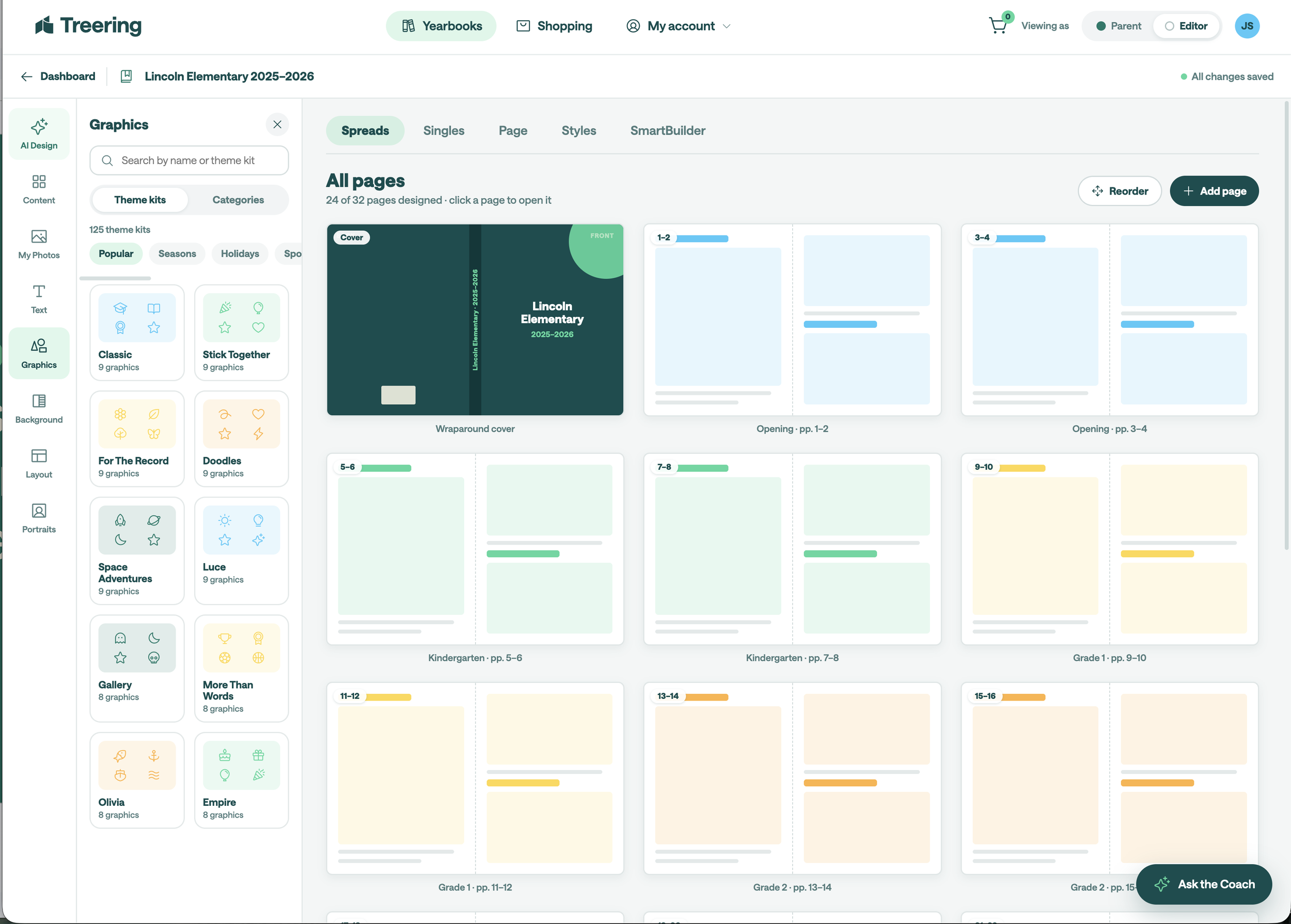
We made graphics easier to discover by organizing them by theme and category and giving each asset a clear name tied to its source. Additional details—such as the originating theme kit, keywords, and similar graphics—help users quickly understand an asset and find more of what they need.
Next Steps
1
Conduct a usability study to validate whether the pain points users expressed were addressed.
Identify any additional areas of need and ideate.